Reviewing an Import or Export Job
Create New Export Job Request
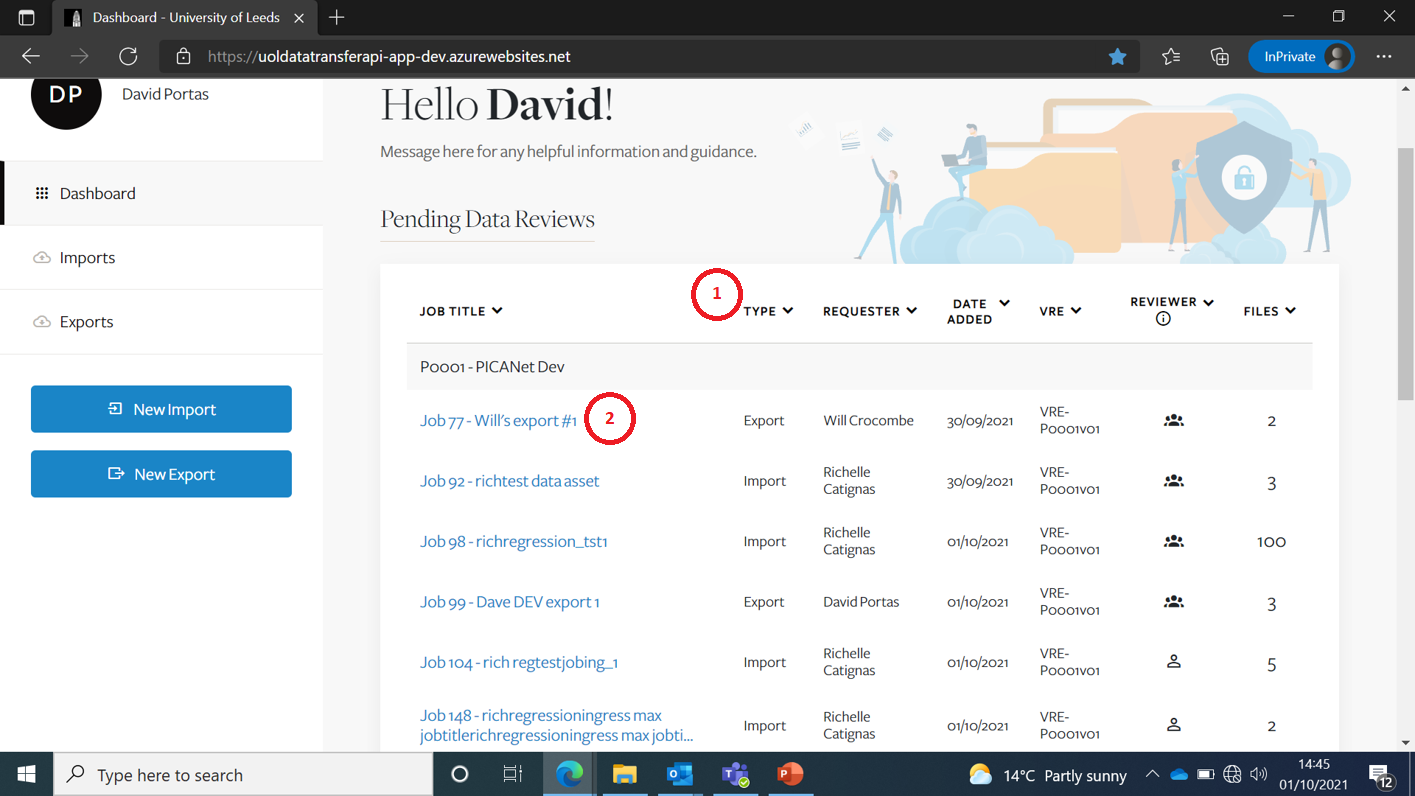
On the Dashboard screen, if you are a Reviewer, the review Jobs will be listed at the top.
| Item | Description |
|---|---|
| 1 | You can sort the Jobs using the various sort icons |
| 2 | To review a Job, just click on the Job Title link |
Reviewing files within a Job
If you go back to the Dashboard screen the Import and Export Jobs you are allowed to review are listed.
| Item | Description |
|---|---|
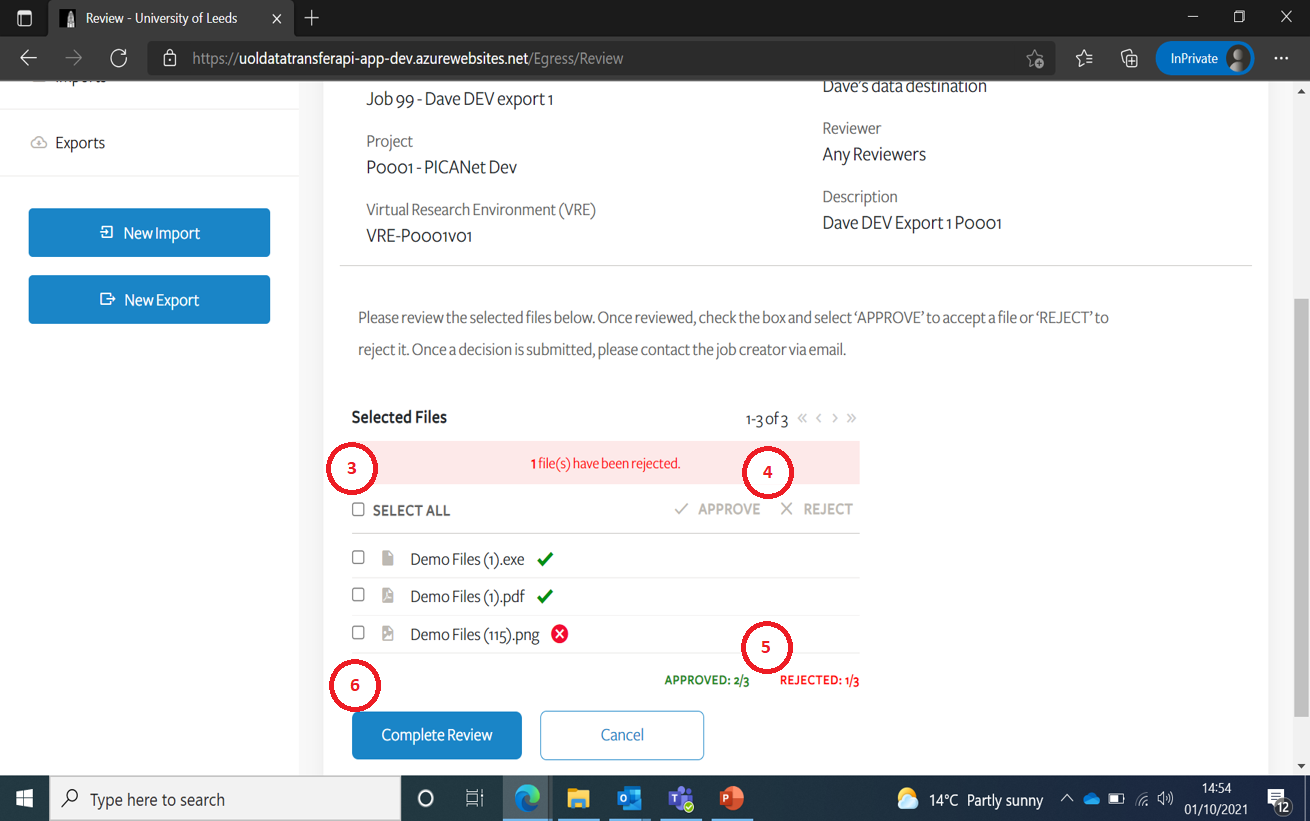
| 3 | You can select ‘All’ or individual files |
| 4 | You can either Approve or Reject files by clicking on one of these two icons |
| 5 | A running total of Approved & Rejected files is provided here |
| 6 | You will only be able to ‘Complete Review’ once all files have been either Approved or Rejected |